
iFANN
    Buscar no iFANN...
    Entrar
    Início
    Notícias
    Vídeos
    Fotos
    GIFs
    Explorar
    Enquetes
    Prêmios
    iFAMOUS
    Wiki
    Anime
    Salas
    Notificações
    Mensagens
    Salvos
    Perfil
    WikiPrêmiosiFAMOUSRankingsSetoresRecompensas para criadoresRecompensas para usuáriosTermosPrivacidadeDiretrizes da comunidadeRemoção / DMCAAjudaDesenvolvedores

    © 2026 iFANN

    Início
    Buscar
    Mensagens
    Alertas
    Perfil
    Foto
    Timofey
    Timofey@timofey1mo
    💭Tech💭Productivity
    20 Microsoft Excel Keyboard Shortcuts

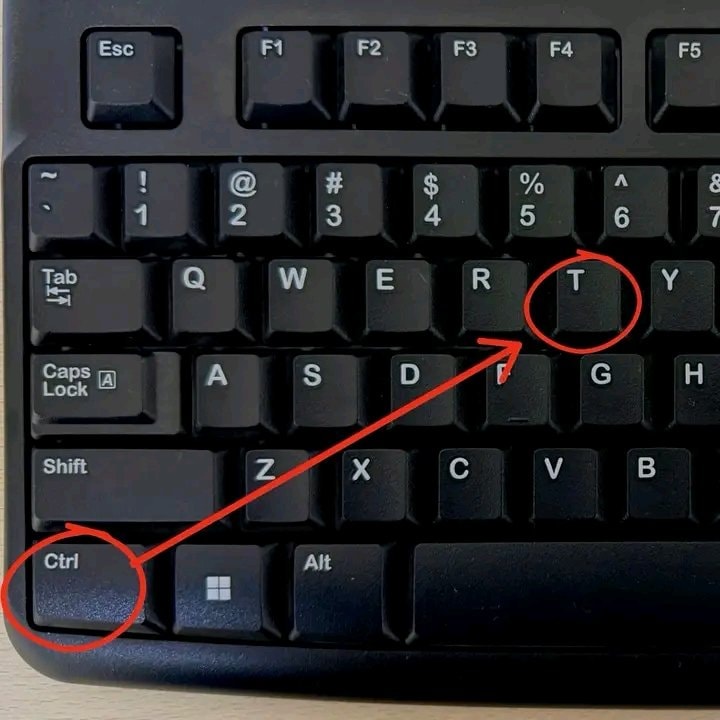
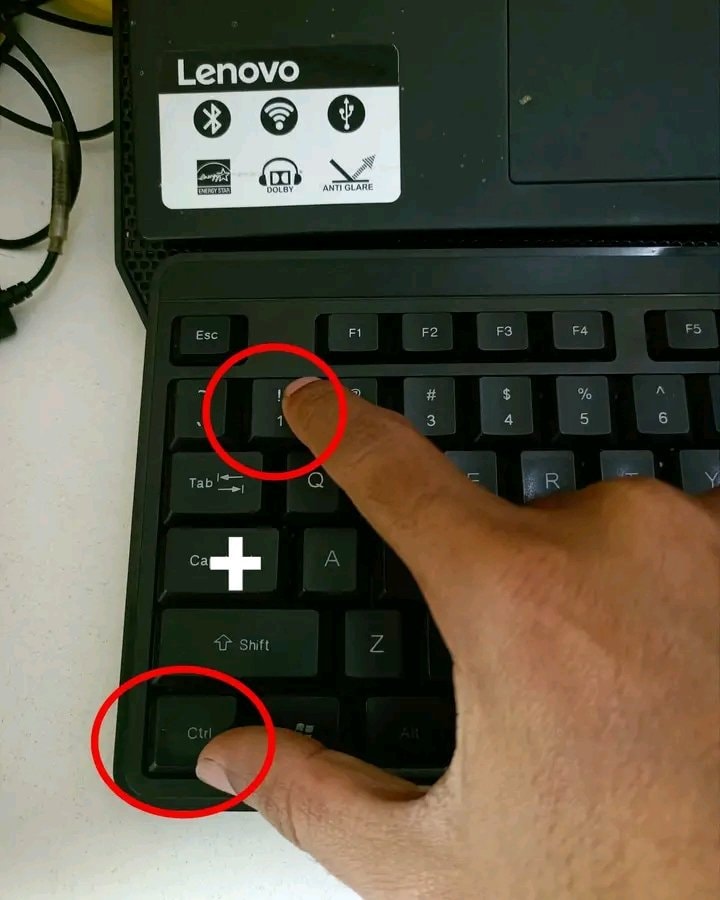
    @timofeyStop clicking around Excel! Here are 20 Microsoft Excel keyboard shortcuts to save time. Ctrl + C is for Copy and Ctrl + V is for Paste while Ctrl + X handles Cut. Hit Ctrl + Z for Undo or Ctrl + Y for Redo when needed. Save your work fast with Ctrl + S, Find anything with Ctrl + F, or use Ctrl + H for Find & Replace. Select All with Ctrl + A, jump through data using Ctrl + Arrow, and select data quickly with Ctrl + Shift + Arrow. Go to cell A1 via Ctrl + Home or reach the last used cell with Ctrl + End. Edit a cell with F2, AutoSum with Alt + =, and open Format Cells with Ctrl + 1. Insert today's date using Ctrl + ; and current time with Ctrl + Shift + :. Turn filters on or off with Ctrl + Shift + L. The image highlights creating a table with Ctrl + T. Save this post so you can come back to it later! Which Excel shortcut do you use the most? #Tech

    Ver publicação original

    20 Microsoft Excel Keyboard Shortcuts

    Foto de @timofey· Aug 21, 2026· Tech

    Sobre esta foto

    The focus is a computer keyboard. Red circles highlight the "Ctrl" and "T" keys, with a red arrow connecting them. The image is a close-up, top-down shot of the keyboard's keys. The mood is instructional or informative, likely demonstrating a keyboard shortcut. The keys are standard QWERTY layout.

    Ver todas as fotos de Tech

    ?

    Ainda não há comentários. Seja o primeiro!

    Mais fotos de Tech

    Ver todas as fotos de Tech
    Excel keyboard shortcuts guideExcel keyboard shortcuts guideCodex activity view inbox mode2Codex activity view inbox modeDataChaz note-taking app frustrationDataChaz note-taking app frustration
    Foto
    Timofey
    Timofey@timofey1mo
    💭Tech💭Productivity
    20 Microsoft Excel Keyboard Shortcuts

    @timofeyStop clicking around Excel! Here are 20 Microsoft Excel keyboard shortcuts to save time. Ctrl + C is for Copy and Ctrl + V is for Paste while Ctrl + X handles Cut. Hit Ctrl + Z for Undo or Ctrl + Y for Redo when needed. Save your work fast with Ctrl + S, Find anything with Ctrl + F, or use Ctrl + H for Find & Replace. Select All with Ctrl + A, jump through data using Ctrl + Arrow, and select data quickly with Ctrl + Shift + Arrow. Go to cell A1 via Ctrl + Home or reach the last used cell with Ctrl + End. Edit a cell with F2, AutoSum with Alt + =, and open Format Cells with Ctrl + 1. Insert today's date using Ctrl + ; and current time with Ctrl + Shift + :. Turn filters on or off with Ctrl + Shift + L. The image highlights creating a table with Ctrl + T. Save this post so you can come back to it later! Which Excel shortcut do you use the most? #Tech

    Ver publicação original

    20 Microsoft Excel Keyboard Shortcuts

    Foto de @timofey· Aug 21, 2026· Tech

    Sobre esta foto

    The focus is a computer keyboard. Red circles highlight the "Ctrl" and "T" keys, with a red arrow connecting them. The image is a close-up, top-down shot of the keyboard's keys. The mood is instructional or informative, likely demonstrating a keyboard shortcut. The keys are standard QWERTY layout.

    Ver todas as fotos de Tech

    ?

    Ainda não há comentários. Seja o primeiro!

    Mais fotos de Tech

    Ver todas as fotos de Tech
    Excel keyboard shortcuts guideExcel keyboard shortcuts guideCodex activity view inbox mode2Codex activity view inbox modeDataChaz note-taking app frustrationDataChaz note-taking app frustration